
Get Started with Helio
Pick what you need — starting your trial and managing your subscription both happen right inside Bambu Studio.
Get set up fast: make sure Bambu Studio is installed. Open it, activate Helio, then go straight to Enhance for the fastest path to results.
1) Activate Helio
~30 seconds
Activate Helio in Bambu Studio so the Helio panels/tools appear in your slicer.
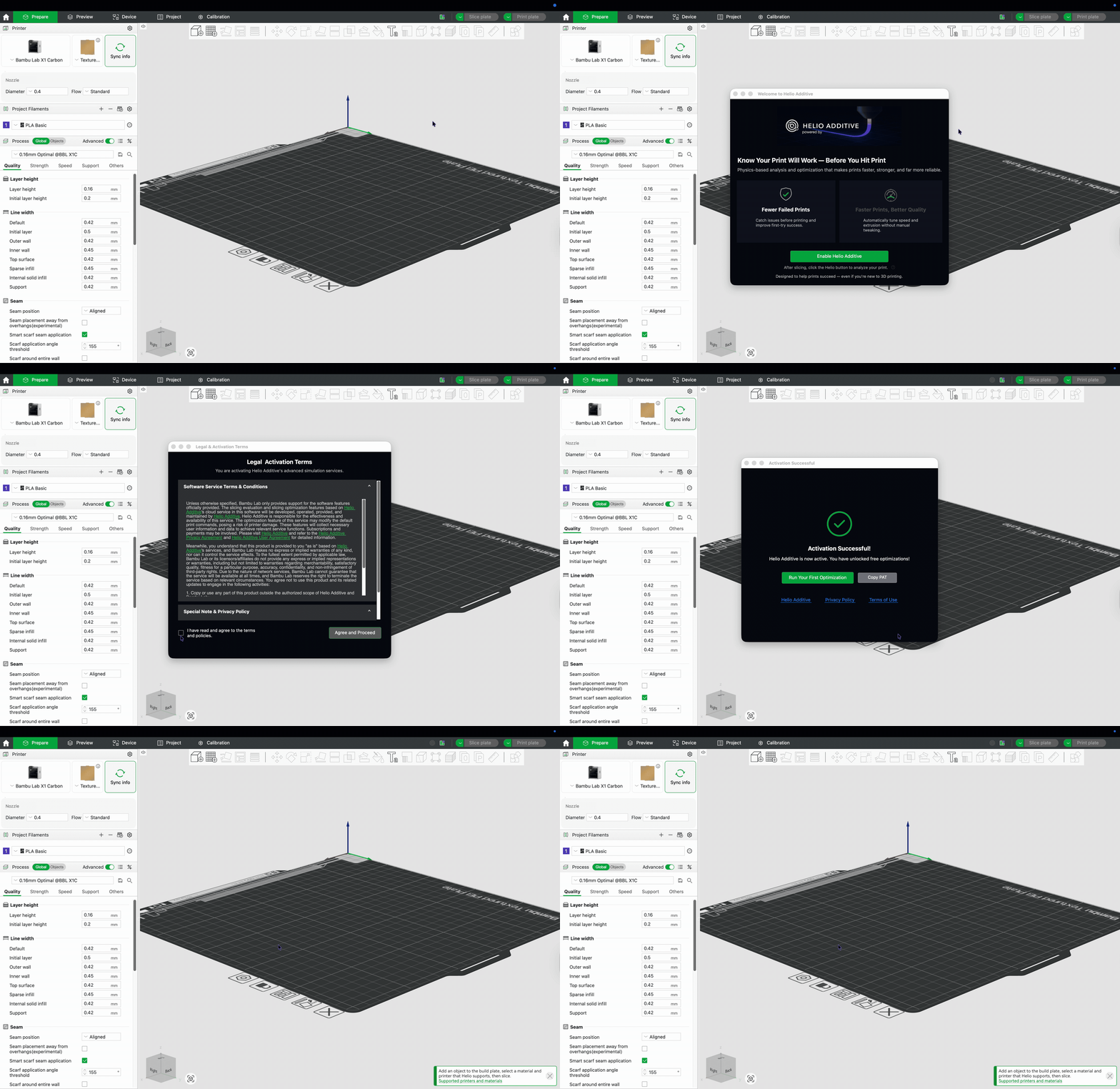
2) Run your first job
~2 minutes
We recommend going straight to Enhance for most jobs. Assess is optional when you want a deeper thermal risk review.
Step 2
Enhance
Run Enhance (recommended first)
Enhance optimizes speed and reliability immediately—this is the default path we recommend for most jobs.
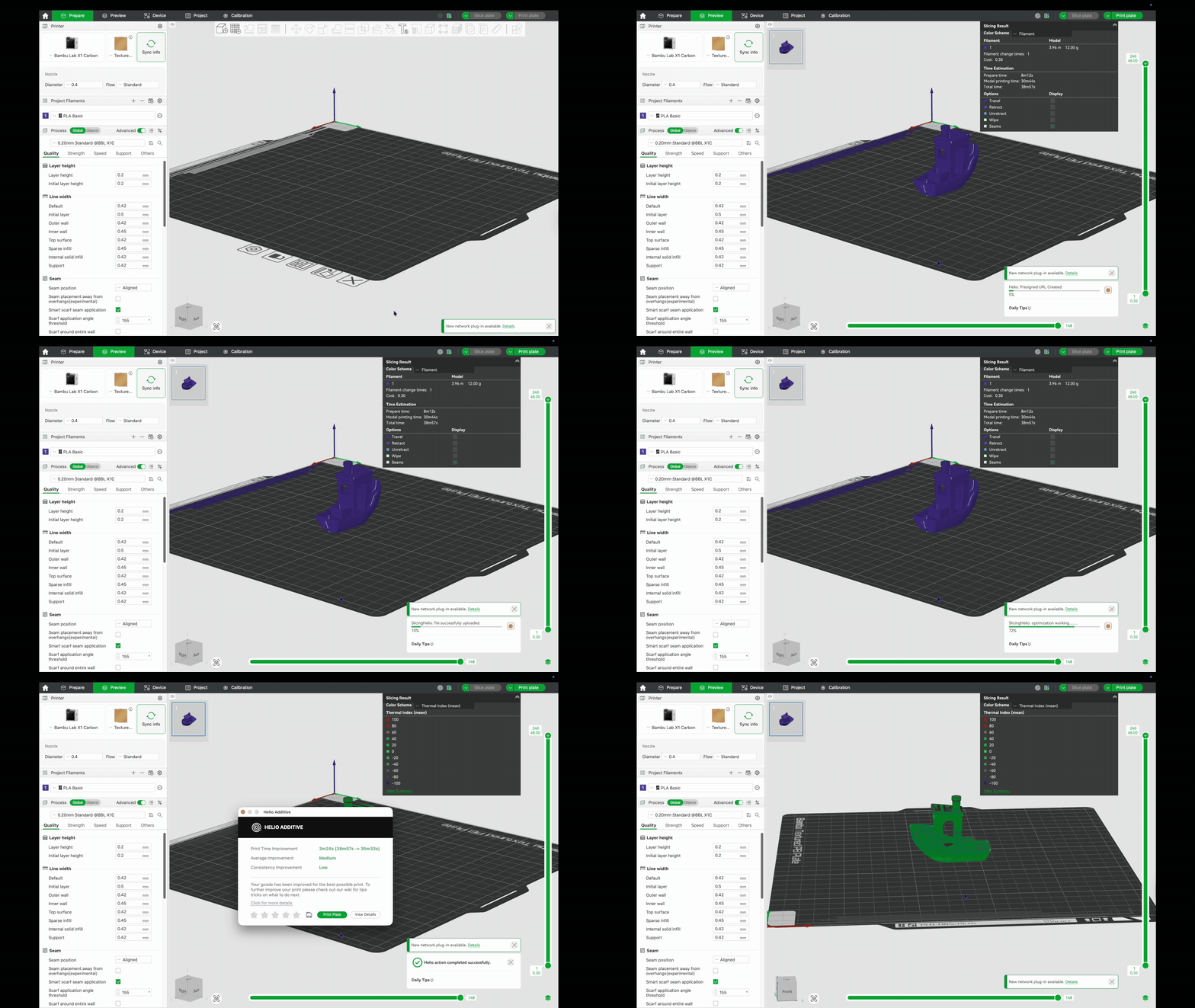
Step 3
Assess
Run Assess (optional)
Use Assess when you want a deeper thermal risk review before printing.
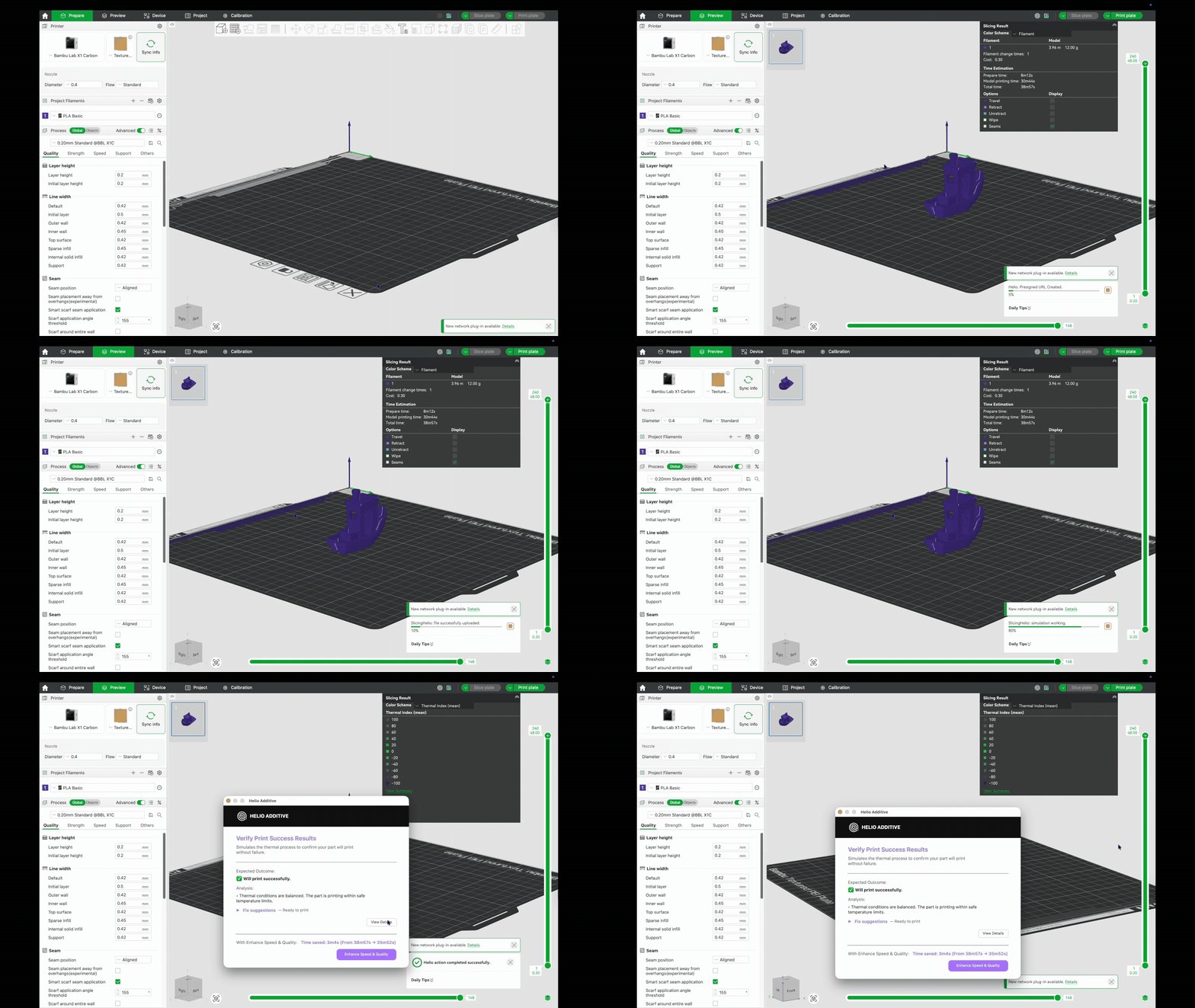
Subscribing only takes a minute, and it happens right inside Bambu Studio.
1
Open Bambu Studio → Helio icon
Click the Helio icon in your toolbar.
2
Go to Enhance
This is where your plan lives.
3
Manage Account
Choose your plan and confirm. That's it — you're subscribed.